How I Shipped a Swift CLI in an Hour, with Tests & CI. My First Ever Swift.
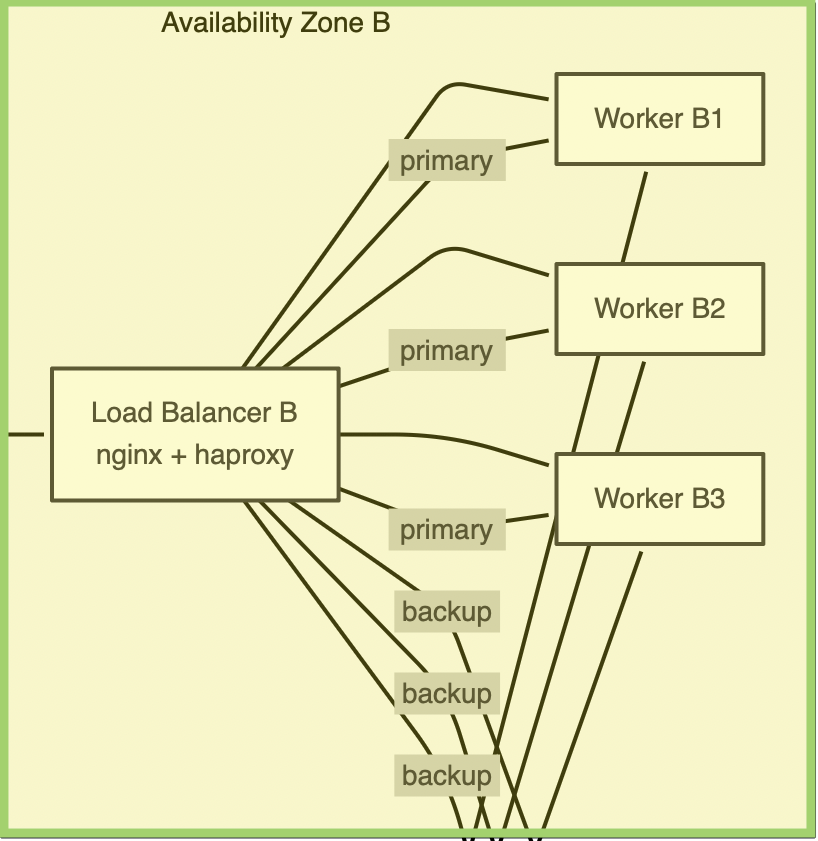
I need to open with a confession: I still use OmniGraffle. Version 7. A native macOS diagramming app, with a perpetual license, from an era when software was something you bought rather than something you rent until the venture funding runs out.
If you’re under 35, OmniGraffle was — for a solid couple of decades — what Visio would have been if Visio had taste. Every architecture diagram in every fancy San Francisco engineering deck circa 2012 was made in it. Then the web ate the category: Figma, Lucidchart, Miro, Excalidraw, draw.io, and now Mermaid, where the diagram is text and the AI writes it for you. The Omni Group had a rough 2020, and while they’re very much still at it — OmniGraffle 8 is on their 2026 roadmap, good for them, sincerely — let’s just say the center of gravity moved into the browser tab and did not leave a forwarding address.
But here’s the thing. When I want to polish a diagram — nudge things by exact pixels, use real typography, produce something that doesn’t look like it was drawn on a whiteboard during an earthquake — I still reach for the native app. So my workflow became: have AI generate the Mermaid, export the SVG, open it in OmniGraffle, and finish it like a civilized person.
Except that workflow was broken. Spectacularly.
A Diagram of Empty Boxes
Export any Mermaid diagram with text labels to SVG. Open it in OmniGraffle. Behold:
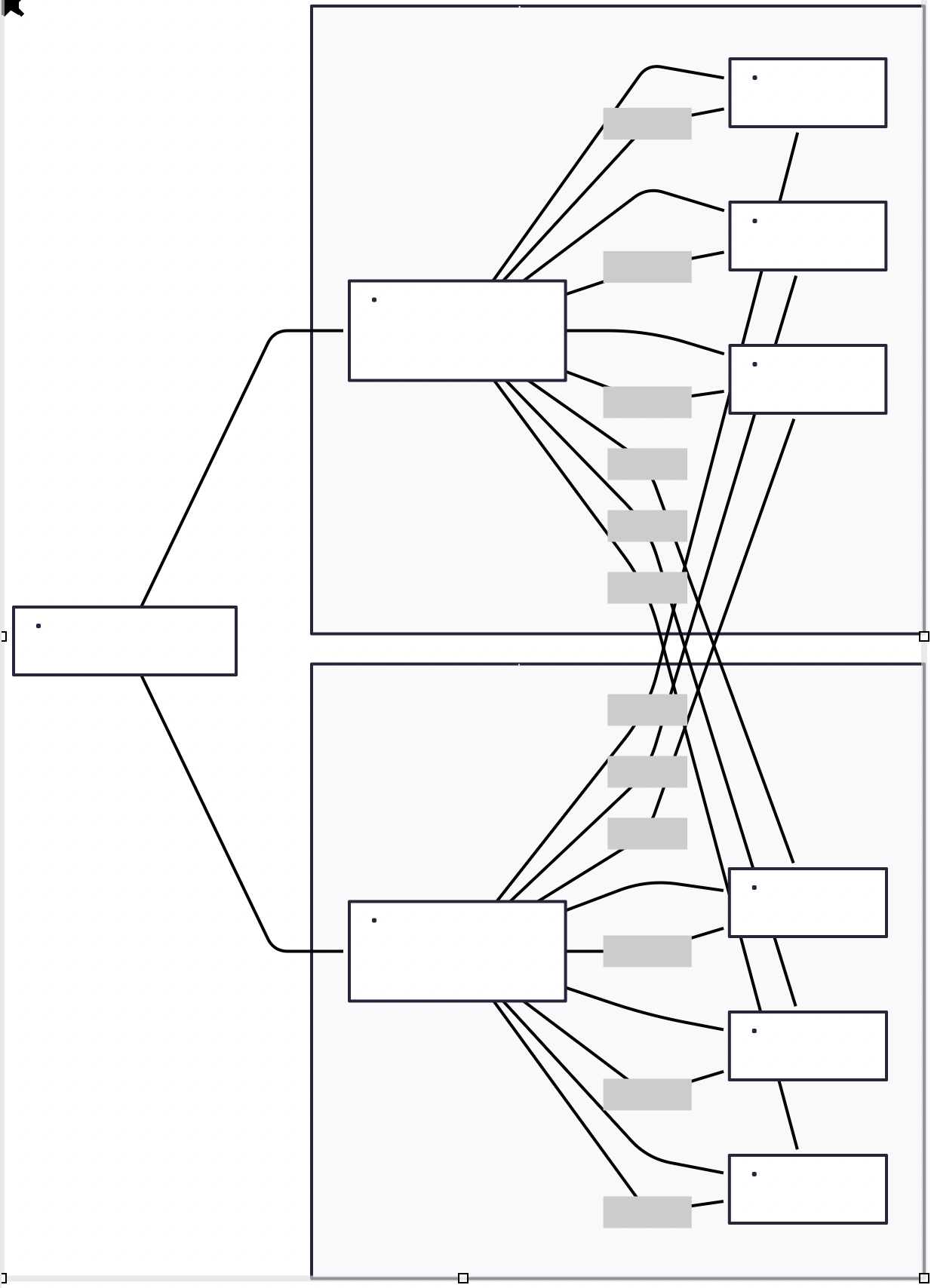
The shapes are there. The arrows are there. The text — the entire reason the diagram exists — is gone. Every label, every node title, every “primary”/“backup” annotation on every edge: vanished. What remains is modern art. A commentary, perhaps, on the emptiness of software architecture itself.
Old me would have sighed, filed this under “tools not talking to each other, news at 11,” and re-typed thirty labels by hand like some kind of medieval scribe.
2026 me spent an hour and fixed it permanently. Here’s the play-by-play, because the play-by-play is the actual point of this post.
Minutes 0–20: The Autopsy
An SVG is just XML, so step one was the obvious one that nobody does: open the exported file and read it. Well — I didn’t read it alone. I dropped it into Claude and we read it together, the way you’d look at an X-ray with a radiologist who has infinite patience and no billing department.
The diagnosis took minutes. Mermaid exports SVG that is meant for the web, not for other applications. With htmlLabels: true (the default), every text label isn’t SVG text at all — it’s a <foreignObject> element with actual HTML stuffed inside:
<foreignObject width="94" height="24">
  <div xmlns="http://www.w3.org/1999/xhtml">
    <span class="nodeLabel"><p>Load Balancer</p></span>
  </div>
</foreignObject>
A browser shrugs and renders it — a browser has an HTML engine lying around, it’s kind of its whole deal. OmniGraffle is a native SVG importer with no HTML engine, so it does what the SVG spec politely permits: it ignores the foreignObject entirely. Silently. Every label in the document is HTML wearing an SVG trench coat, and OmniGraffle sees right through it.
And once we were in there, two accomplices turned up:
x/yoffsets on<tspan>are ignored — Mermaid positions edge and cluster labels with em-based tspan offsets, so even the labels that do survive render one line too high. Bonus: OmniGraffle honorstext-anchor: middleas CSS but ignores it as an XML attribute, so those labels also drift sideways. Naturally, Mermaid uses the attribute.- Zero-size
<rect/>placeholders render as dots — Mermaid leaves empty<rect/>elements inside label groups. Browsers draw nothing. OmniGraffle draws a proud little dot in the middle of every shape, like the diagram has measles.
That’s the whole disease: three quirks, all downstream of one root cause. The SVG was authored for exactly one consumer — a web browser — and every other consumer can go pound sand.
Minutes 20–50: In Which I “Write” Swift
Now, the fix is conceptually trivial: parse the XML, rewrite every foreignObject label as a plain, absolutely-positioned SVG <text> element, flatten the tspan offsets into real coordinates, delete the degenerate rects, touch nothing else. A transformation any language can do.
The right language for a macOS-native tool is Swift — Foundation ships XMLDocument, no dependencies, and the binary feels at home next to the app it’s serving.
Minor obstacle: I have never written a line of Swift in my life. Thirty-plus years of shipping software — Ruby, C, an unreasonable amount of Bash, recently Rust — and my total lifetime Swift output was zero lines. Ten years ago that’s where this story ends: “cute idea, learn a language first, see you in March.”
Instead I described the three transformations to Claude with the precision of someone who had just spent twenty minutes doing the autopsy — and that precision is the load-bearing part, we’ll come back to it — and out came MermaidSVGTransformer.swift. It’s 194 lines. The CLI wrapper is another 65. There are tests. There’s CI. Each transformation can be disabled independently (--no-labels, --no-tspans, --no-rects), because even code I can’t personally review deserves decent flags.
Did I review the Swift line by line? I reviewed it the way that actually matters: I ran it against real Mermaid exports, diffed the XML output, and opened the results in OmniGraffle. The proof is observational, not devotional.
Minute 60: The After Picture
svg2og load-balancer.svg
# → load-balancer.omnigraffle.svg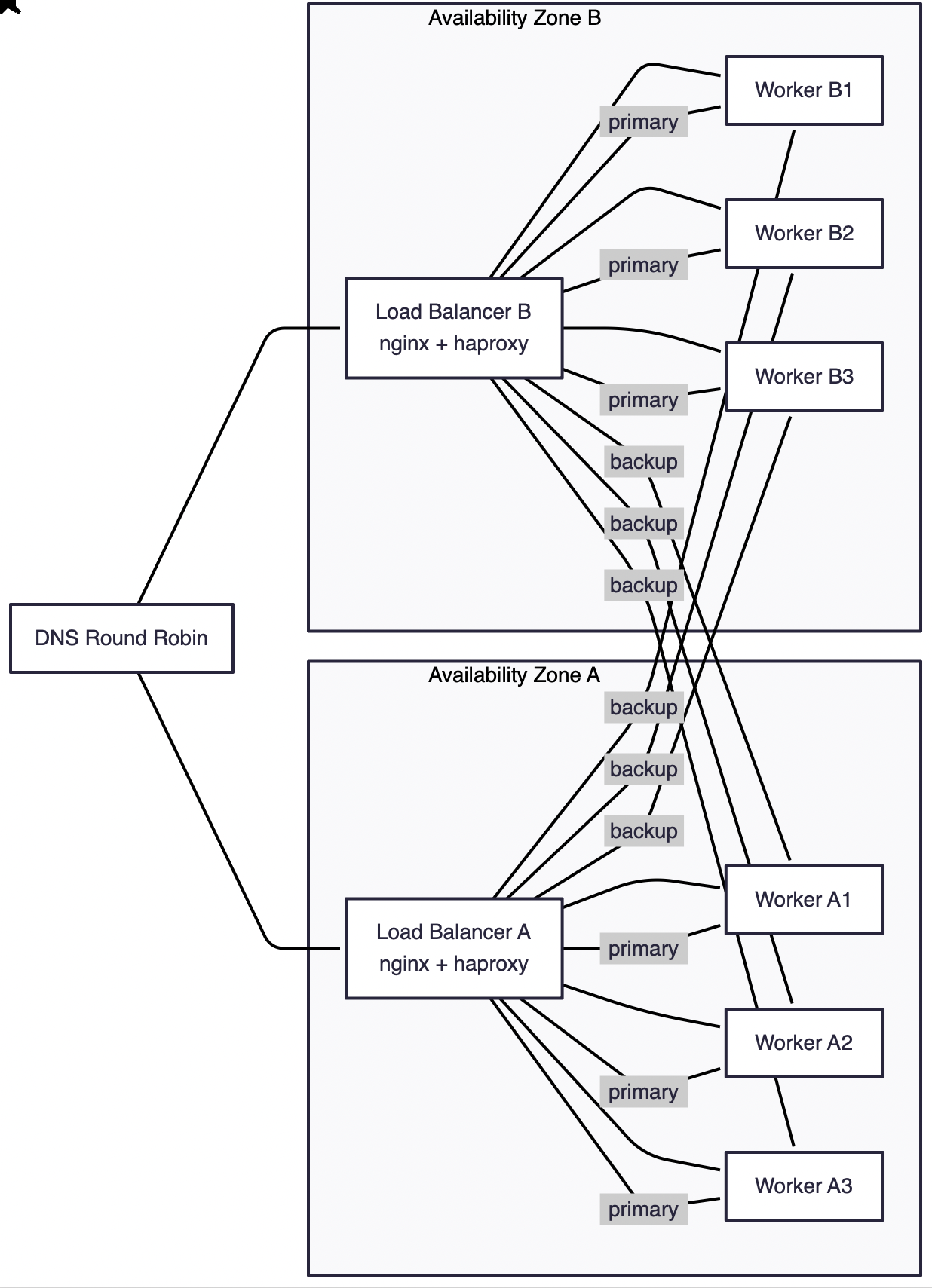
Every label present. Every label where it belongs. No dots. The shapes, edges, markers, and styles are byte-for-byte untouched — the tool rewrites labels and deletes garbage, and has the discipline to do nothing else.
The repo is here: github.com/kigster/svg2og.
git clone https://github.com/kigster/svg2og.git
cd svg2og
just setup     # verifies the Swift toolchain
just install   # builds release binary → /usr/local/bin/svg2og
Installation via Homebrew
brew trust kigster/tap
brew install svg2og
IMPORTANT
If you install via Homebrew, for each new version you may need to re-execute the trust command again, and then do brew update kigster/tap and then brew install svg2og.
TIP
htmlLabels: false in the frontmatter avoids the foreignObject problem at the source. The tspan drift and the measles dots remain, though — so the converter earns its keep either way.
The Actual Point
Here is what I want you to take away, and it is not “use my tool” (although: use my tool).
The bottleneck was never typing the code. The bottleneck was the standing army of small excuses between you and a fixed problem. “I don’t know Swift.” “It’s not worth learning XMLDocument for a one-off.” “Somebody upstream should fix their exporter.” Each excuse individually reasonable; collectively they’re why every engineer carries a decade-long backlog of minor irritations they’ve simply learned to live around, like furniture.
What AI actually changed is that the excuses died, but the skills that mattered all along didn’t budge:
- Noticing that the problem is a problem, and deciding it deserves an hour instead of a shrug.
- Diagnosing — opening the file, forming the hypothesis (“this SVG is web-only”), finding all three quirks instead of stopping at the first.
- Specifying — describing the fix precisely enough that the generated code is the fix, not a vibe adjacent to it.
- Verifying — running it on real inputs and looking at the actual result in the actual app, because “it compiles” is not a truth condition.
That’s analysis, taste, and skepticism. The typing in between — the part where you’d historically spend three weekends bonding with a borrow checker or, in this case, learning what a Swift optional is — has been compressed to roughly the duration of a coffee.
So no, I still haven’t learned Swift. But there’s a Swift CLI with my name on it, with tests, in Homebrew-able shape, solving a real problem for anyone still keeping a beautiful native dinosaur alive on their Mac. The dinosaur and I both appreciate the irony.
Have questions? Found another Mermaid export quirk OmniGraffle chokes on? Leave a comment — or better, open an issue. Apparently I fix things in languages I don’t know now.
Best regards, Konstantin
San Francisco, CA, July 8, 2026.
References
- svg2og on GitHub — the converter
- Mermaid — text-to-diagram, the thing your AI already writes fluently
- OmniGraffle — the native diagramming app worth saving SVGs for
- Omni Roadmap 2026 — OmniGraffle 8 is coming, the dinosaur has plans
- SVG
<foreignObject>on MDN — the trench coat itself
Comments